Josef's Bio Döner speeds up handover with till and pickup screen

- Business type
- Kebab shop using organic meat
- Location
- Frankfurt am Main
- Number of sites
- 1
- Products in use
- Till, pickup screen, PayRight
Josef's Bio Döner in Frankfurt uses the OrderRight till together with the pickup screen to absorb the rush at peak times. Orders are taken at the till, appear on the pickup screen automatically and are paid with PayRight right at the counter.
Company history
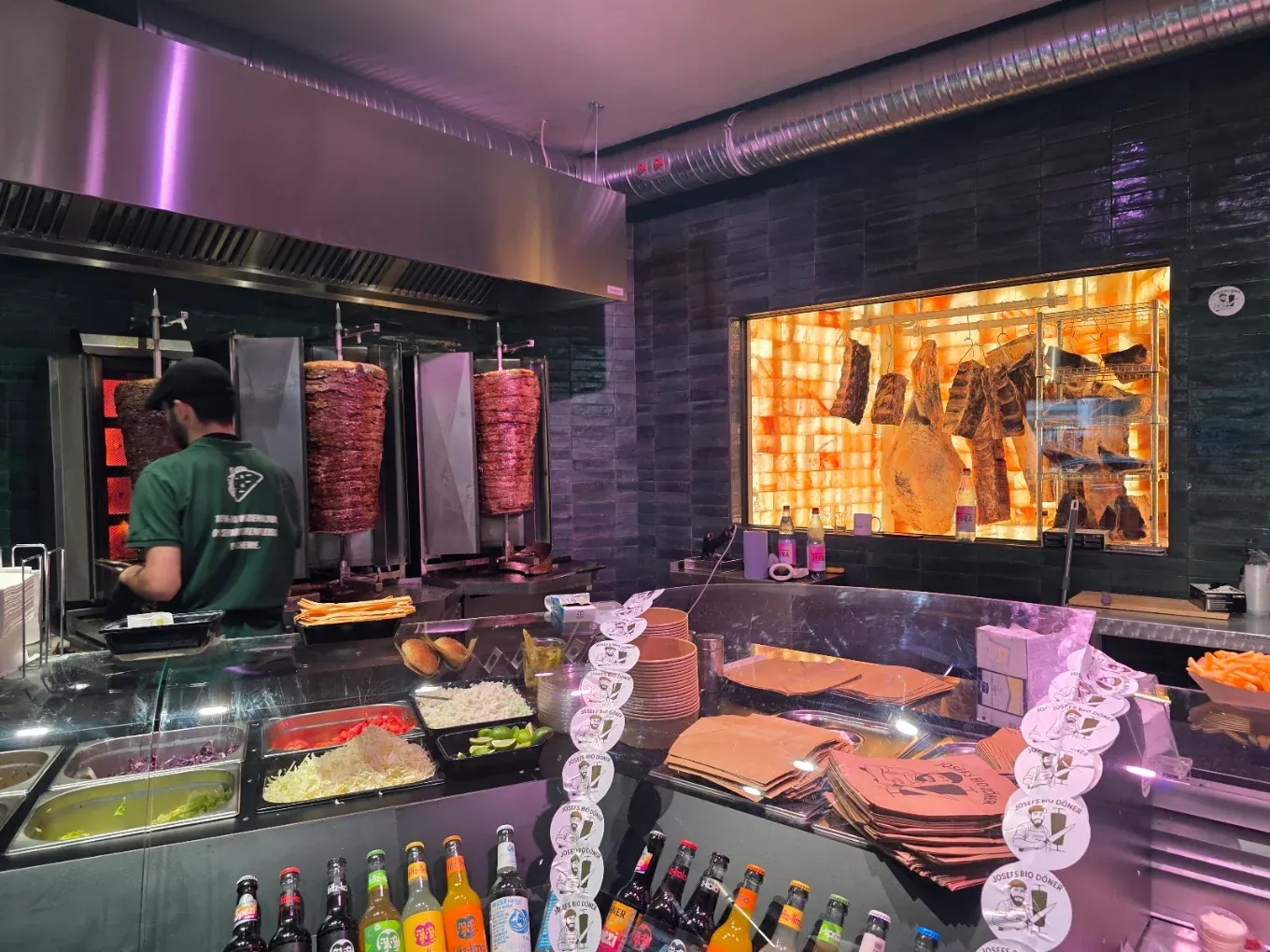
Josef's Bio Döner is a kebab shop in Frankfurt am Main serving döner made with organic meat. Three spits turn side by side, and behind the counter the meat ages visibly in a lit cabinet. Guests can see what they are ordering – that is the idea behind the business.
Orders come in at the counter and by phone, and the bags and stickers carry the shop's own logo. At lunchtime and in the evening, more orders arrive than a counter can sort by hand.
The problem: a rush without a clear order of service
At peak times two groups stood in the shop at once: guests who still wanted to order, and guests waiting for their finished order. Without a system the team had to remember who was next.
That meant questions at the counter, longer waiting times and orders handed out twice. At the same time, phone orders could not be allowed to slip through.
"The till runs rock-solid, setup was quick and the team is there whenever we have a question. Exactly what we needed."
Every order runs through one till
The team takes orders at the counter and on the phone through the OrderRight till. The till prints the prep ticket and automatically assigns the order number the guest finds on their receipt.
Items, toppings and prices are set up centrally once. Special requests such as “no onions” or “extra sauce” are printed on the ticket instead of being shouted across the counter. That reduces mistakes during preparation.
Guests can see for themselves when their order is ready
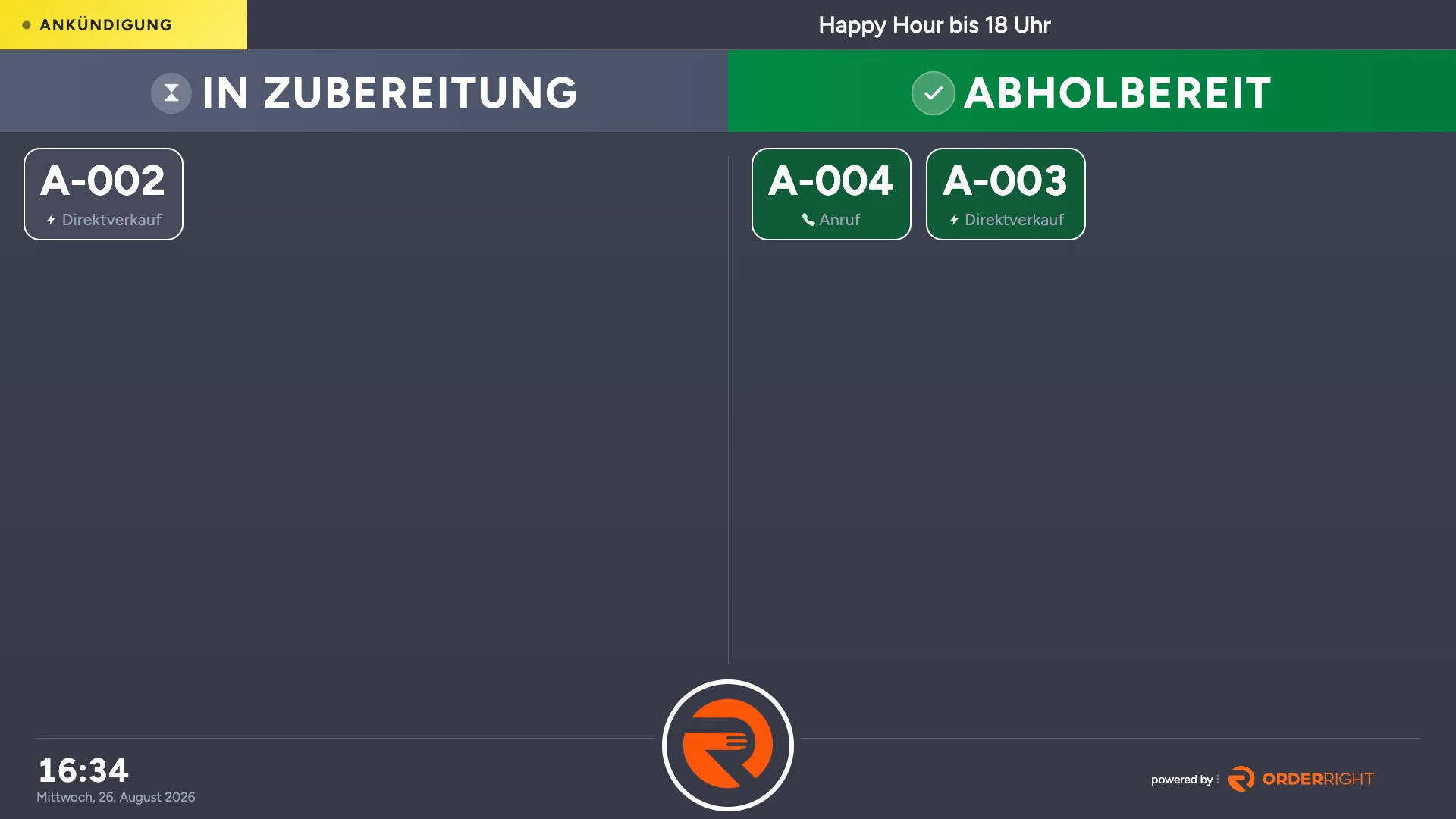
The pickup screen above the counter shows two columns: “in preparation” and “ready for collection”. As soon as an order is finished, its number switches column automatically. Guests keep an eye on their number and the team only has to hand the food over.
Every number also shows its order channel – direct sale or phone call – so phone orders do not get lost among the walk-in guests. An announcement can be shown in the header as well, for example a current offer.
Faster payments thanks to PayRight
The amount is sent from the till straight to the card terminal. Nobody types in totals, and guests pay by card, Apple Pay or Google Pay. That shortens the payment step at the counter and avoids typing errors.
Because card payment and till work together, the card statement and the cash book match at the end of the day. Closing the till becomes one task instead of a comparison between two systems.
These modules are in use
Streamline your own operations with the OrderRight point of sale.
Frequently asked questions
Everything you need to know about OrderRight, switching and daily use.
Can’t find your question? Our support team is here to help
Your business. Your revenue. Your system.
Everything in one system – without high commissions or order chaos.